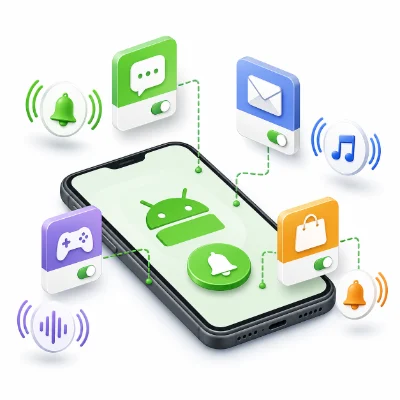
Using a different notification sound for each app makes alerts easier to recognize. You can hear whether a message came from email, a chat app, a delivery app or another service without checking the screen.
Android separates the default notification sound from app-specific notification categories. This means one app can use several different sounds for messages, calls, downloads or other alert types.
A ringtone is used for incoming phone calls. A notification sound is used for messages, email, app alerts and system events. Changing one does not automatically change the other.
This changes the general sound used by apps that do not have their own notification sound selected.
Some apps create several categories. For example, a messaging app may have separate categories for incoming messages, group chats, calls and background activity.
If the category has never generated an alert, it may not appear until the app creates that notification type.
Recent Samsung software may hide notification categories until they are enabled in Advanced settings.
Menu names can vary by Galaxy model and One UI version.
Android commonly scans the Notifications folder for custom alert sounds.
Use a short audio clip. A notification sound is normally much shorter than a phone ringtone.
A clip of approximately one to five seconds is usually enough. Long sounds can become annoying when several notifications arrive quickly.
Some messaging apps support conversation-specific notification settings.
This setting belongs to the app and may be removed if the conversation is deleted or the app data is cleared.
Open the category and change it from Silent to Alert. The Sound option may appear only for alerting notifications.
Enable Manage notification categories for each app in Notifications > Advanced settings.
Some apps require you to change the sound inside the app rather than in Android Settings.
Use the feature once or wait for an alert so Android can create the category.
Move it from Downloads or Music to the Notifications folder.
Can every Android app have a different notification sound?
Many apps can, but support depends on the notification categories created by the app.
Can one app use several sounds?
Yes. Different notification categories within the same app can use separate sounds.
Why can I change the sound on Pixel but not Samsung?
Samsung may require notification-category management to be enabled in Advanced settings first.
Can I use an MP3 as a notification sound?
Yes, if the phone recognizes it. Move a short MP3 into the Notifications folder.
Will changing the app sound affect my ringtone?
No. Phone ringtones and app notification sounds are separate settings.
Choose short, clearly different sounds and change only the categories that matter. If the Sound option is missing, check whether the category is set to Alert and whether notification-category controls are enabled.