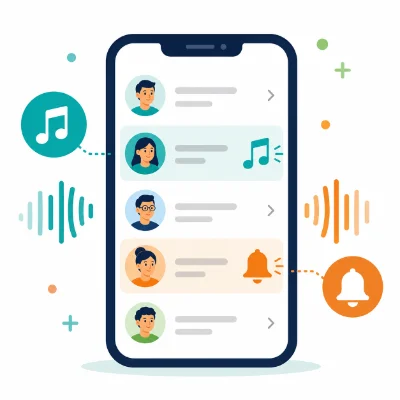
Assigning a different ringtone to each important contact helps you recognize the caller without looking at the screen. You can use one sound for family, another for work and the default ringtone for everyone else.
Both iPhone and Android support contact-specific ringtones, although the exact menu names vary. The contact usually needs to be saved in the phone, iCloud, a Google account or another supported contact account rather than only on a SIM card.
Set up the custom ringtone first. On Android, this may mean adding an MP3 to the Ringtones folder. On iPhone, the audio must be exported or installed as a ringtone.
Emergency Bypass can allow sounds and vibrations from that contact even when the iPhone is silenced or a Focus mode is active. Use it only for contacts who should always be able to reach you.
The exact menu may differ by Galaxy model and One UI version. Contacts stored only in SIM memory may not support individual custom ringtones.
If the custom MP3 is missing, add it to the phone ringtone list first through Settings or move it into the Ringtones folder.
Xiaomi, OnePlus, Motorola and other Android brands generally place the option in one of these locations:
Use the Contacts app provided by the phone manufacturer or Google Contacts. Third-party contacts apps may not expose every system ringtone option.
Move or copy the contact to a Google account, Samsung account, iCloud or phone storage. SIM contacts have limited fields and may not support custom ringtone assignments.
Contacts synchronized from some company directories or apps may not be editable. Create a local copy or add the person to a supported contact account.
Open the default Contacts app that came with the phone. The ringtone option may be hidden in a third-party contacts app.
Make the ringtone available at the system level first, then return to the contact settings.
Merge duplicates and make sure the exact number is saved in the contact that has the ringtone assignment.
A contact ringtone assigned in the phone's Contacts app usually controls standard cellular calls. Apps such as WhatsApp, Telegram or Messenger may use their own notification and calling settings.
Open the relevant app and check its conversation or call notification options if you want a separate sound there.
Can I give every contact a different ringtone?
Yes, but managing many unique sounds can become difficult. It is often more practical to customize only important contacts or groups.
Will a contact ringtone override my default ringtone?
Yes. The assigned contact sound plays for that person, while other callers use the default ringtone.
Why does a contact ringtone stop working after I move the MP3?
The phone may lose the original file path. Move the file to its final folder before assigning it.
Can I assign a ringtone to a contact stored on a SIM card?
Many phones do not support this. Move the contact to phone storage or an account first.
Use short, recognizable sounds and keep custom files in permanent internal storage. After assigning each ringtone, test it with a real incoming call and check for duplicate contacts if the wrong sound plays.