How to Set Different Ringtones for Different Contacts

How to Set Different Ringtones for Different Contacts

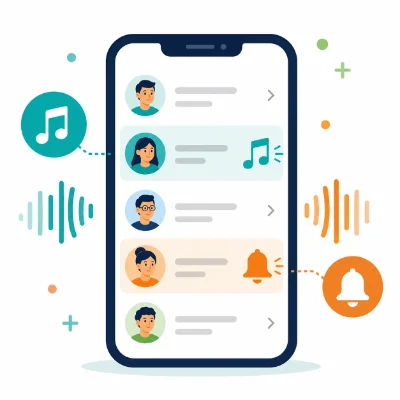
Assigning a different ringtone to each important contact helps you recognize the caller without looking at the screen. You can use one sound for family, another for work and the default ringtone for everyone else.

Both iPhone and Android support contact-specific ringtones, although the exact menu names vary. The contact usually needs to be saved in the phone, iCloud, a Google account or another supported contact account rather than only on a SIM card.

What You Need Before You Start

  • The contact saved in the Contacts app
  • A built-in or custom ringtone already available on the phone
  • The contact stored in a supported account
  • Permission for the Contacts app to access sound files when required

Set up the custom ringtone first. On Android, this may mean adding an MP3 to the Ringtones folder. On iPhone, the audio must be exported or installed as a ringtone.

How to Set a Different Ringtone for a Contact on iPhone

  1. Open the Contacts app.
  2. Select the person.
  3. Tap Edit.
  4. Tap Ringtone.
  5. Select a built-in or custom ringtone.
  6. Choose whether Emergency Bypass should be enabled.
  7. Tap Done.
  8. Tap Done again to save the contact.

Emergency Bypass can allow sounds and vibrations from that contact even when the iPhone is silenced or a Focus mode is active. Use it only for contacts who should always be able to reach you.

How to Set a Contact Ringtone on Samsung Galaxy

  1. Open the Contacts app.
  2. Select the contact.
  3. Tap More or Edit.
  4. Open Change ringtone/vibration or View more.
  5. Tap Ringtone.
  6. Select a sound or tap the plus icon to add a local audio file.
  7. Return to the contact and tap Save.

The exact menu may differ by Galaxy model and One UI version. Contacts stored only in SIM memory may not support individual custom ringtones.

How to Set a Contact Ringtone on Google Pixel

  1. Open Google Contacts.
  2. Select the contact.
  3. Tap the three-dot menu.
  4. Choose Set ringtone.
  5. Select a ringtone from the available sounds.
  6. Tap Save if prompted.

If the custom MP3 is missing, add it to the phone ringtone list first through Settings or move it into the Ringtones folder.

How to Set Contact Ringtones on Other Android Phones

Xiaomi, OnePlus, Motorola and other Android brands generally place the option in one of these locations:

  • Contact > three-dot menu > Set ringtone
  • Contact > Edit > Ringtone
  • Contact > More fields > Ringtone
  • Contact > More > Change ringtone/vibration

Use the Contacts app provided by the phone manufacturer or Google Contacts. Third-party contacts apps may not expose every system ringtone option.

How to Use a Custom MP3 for One Contact on Android

  1. Save the MP3 in internal storage.
  2. Move it into the Ringtones folder.
  3. Open Settings > Sound & vibration > Phone ringtone.
  4. Add the file to the ringtone list if required.
  5. Return to the Contacts app.
  6. Open the contact ringtone setting.
  7. Select the custom MP3.

Why the Set Ringtone Option Is Missing

The Contact Is Stored on the SIM Card

Move or copy the contact to a Google account, Samsung account, iCloud or phone storage. SIM contacts have limited fields and may not support custom ringtone assignments.

The Contact Is Read-Only

Contacts synchronized from some company directories or apps may not be editable. Create a local copy or add the person to a supported contact account.

You Are Using the Wrong Contacts App

Open the default Contacts app that came with the phone. The ringtone option may be hidden in a third-party contacts app.

The Custom Ringtone Has Not Been Added Yet

Make the ringtone available at the system level first, then return to the contact settings.

Why the Wrong Ringtone Plays

  • The same phone number appears in duplicate contacts.
  • The incoming call matches a different synced contact record.
  • The custom audio file was moved or deleted.
  • The call arrived through an app rather than the normal Phone app.
  • A work profile or second contacts account is being used.

Merge duplicates and make sure the exact number is saved in the contact that has the ringtone assignment.

Do Contact Ringtones Work with WhatsApp and Other Apps?

A contact ringtone assigned in the phone's Contacts app usually controls standard cellular calls. Apps such as WhatsApp, Telegram or Messenger may use their own notification and calling settings.

Open the relevant app and check its conversation or call notification options if you want a separate sound there.

Frequently Asked Questions

Can I give every contact a different ringtone?

Yes, but managing many unique sounds can become difficult. It is often more practical to customize only important contacts or groups.

Will a contact ringtone override my default ringtone?

Yes. The assigned contact sound plays for that person, while other callers use the default ringtone.

Why does a contact ringtone stop working after I move the MP3?

The phone may lose the original file path. Move the file to its final folder before assigning it.

Can I assign a ringtone to a contact stored on a SIM card?

Many phones do not support this. Move the contact to phone storage or an account first.

Final Tips

Use short, recognizable sounds and keep custom files in permanent internal storage. After assigning each ringtone, test it with a real incoming call and check for duplicate contacts if the wrong sound plays.



Voted up by 2468 users:
When you and other people like the post, the author will get paid. If you like to read the content here, please create your account now and start earning for free!
People also read:
  • How to Create a Custom Phone Wallpaper Online

    By @Diego Custom Phone Wallpaper
    Create a custom phone wallpaper online by choosing your device size, cropping and positioning an image, previewing the Lock and Home Screens, and downloading a high-quality background.
    6525
  • How to Remove Silence from the Beginning of a Ringtone

    By @Guenter remove silence from ringtone ringtone starts late trim MP3 silence
    Fix a ringtone that starts late by removing silence from the beginning. Learn how to find the first audible point, trim the file online, and export a ringtone that begins immediately.
    1236
  • How to Make an MP3 Louder Online Without Distortion

    By @Guenter make MP3 louder increase MP3 volume audio volume booster online
    Learn how to make an MP3 louder online without clipping, crackling, or harsh distortion. Find the right volume boost, preview the loudest sections, choose the best export format, and create clearer audio for music, voice recordings, ringtones, notificatio
    516
  • How to Make a Custom Notification Sound from Any Audio File

    By @Georg custom notification sound notification sound maker make alert sound
    Learn how to make a custom notification sound from a song, voice recording, sound effect, or other audio file. Choose the best 3–5 seconds, remove silence, improve the beginning and ending, export the right format, and set the finished alert on your phone
    697
  • How to Set Different Notification Sounds for Each App on Android

    By @kingajar Notification Sound Android Notifications App Sound
    Learn how to set different notification sounds for individual Android apps, add custom audio files and fix missing notification-category or Sound options on Pixel and Samsung phones.
    586
  • Why Does My Ringtone Keep Changing Back to Default?

    By @kingajar Ringtone Reset Default Ringtone Ringtone Fix
    Find out why a custom ringtone keeps resetting to the default sound on iPhone or Android and learn how to fix file-location, SIM, contact, update and sync problems.
    521
  • What Is a Soundboard? Uses, Meme Culture & Popular Apps Explained

    By @goodace soundboard meme sounds Discord tools streaming tools digital audio
    Soundboard is a digital tool that lets users trigger audio clips instantly using buttons or hotkeys. It is widely used in gaming, live streaming, and short-video content creation, especially on platforms like Discord, Twitch, and TikTok. This article expl


    630
What's Hot
Active Members