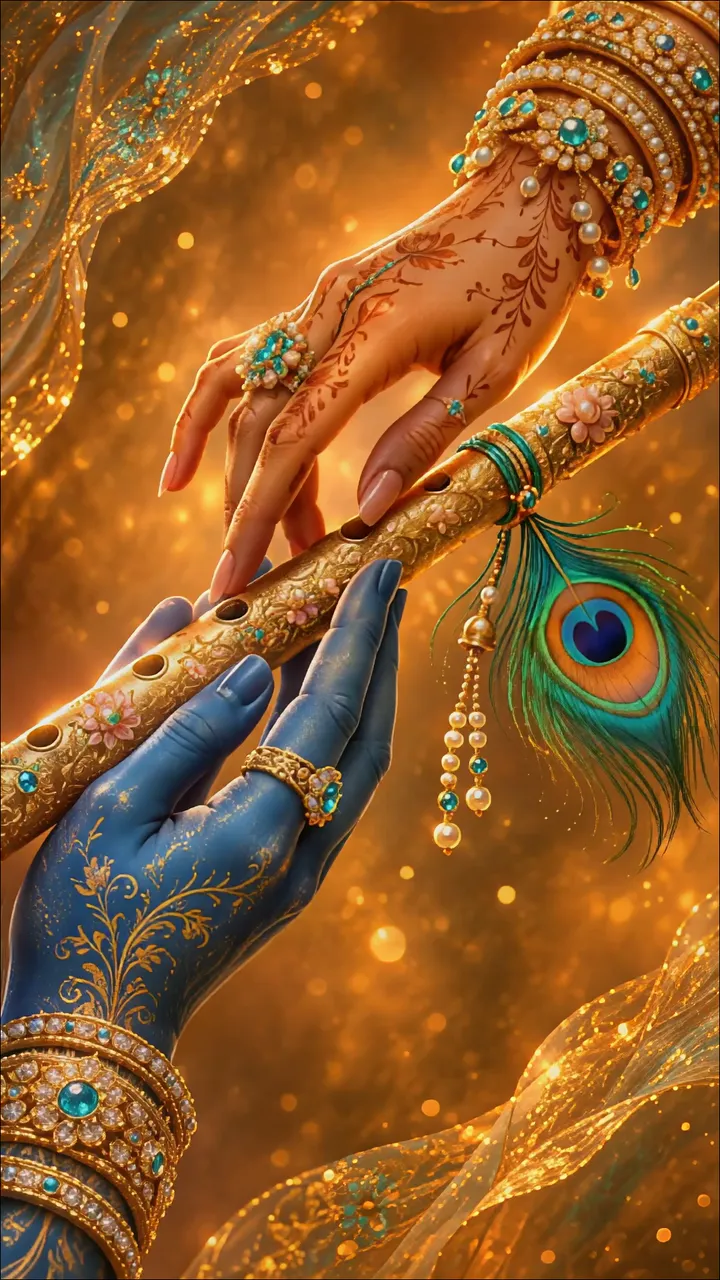
Blue Hand Offering Peacock Feather To Henna-Adorned Hand Against Cosmic Sky live wallpaper
How to set it as wallpaper
iPhone
For a still wallpaper, save the cropped JPG to Photos and choose it in Settings → Wallpaper. For an animated Lock Screen on supported models, convert the MP4 to a Live Photo with a compatible app and select it in the wallpaper picker.
Android
For a still wallpaper, open the JPG in your gallery and choose Set as wallpaper. For the MP4, look for a video wallpaper option in your gallery or wallpaper settings. A compatible live wallpaper app can help if your phone has no built-in option.
After saving the converted Live Photo to Photos, open Settings, then Wallpaper, then Add New Wallpaper. Tap Photos, choose Live Photo, select the saved image, turn on the Live Photo effect, and tap Add to apply it to your Lock Screen.
A luminous blue hand, adorned with intricate gold jewelry and gemstones, gently offers a vibrant peacock feather toward a henna-decorated hand below. The scene unfolds against a deep cosmic sky filled with stars and nebulae, creating a mystical atmosphere. The feather, glowing with iridescent hues of teal and gold, is the central focus, symbolizing grace and spiritual significance. The contrast between the cool blue tones of the upper hand and the warm, earthy tones of the lower hand enhances the visual depth. The composition evokes themes of divine connection, cosmic harmony, and sacred exchange, with the celestial backdrop amplifying the image's ethereal and devotional quality.
- Format
- MP4 live wallpaper
- Resolution
- 720P, 1080P
- Duration
- 00:10
- File size
- 13.5 MB
- Category
- Peacock Feather, Cosmic Sky, Henna-Adorned Hand